Introduction
Welcome to NetPad — a comprehensive, open-source platform for building MongoDB-connected applications that combine data collection, workflow automation, and AI-powered experiences—all without writing code.
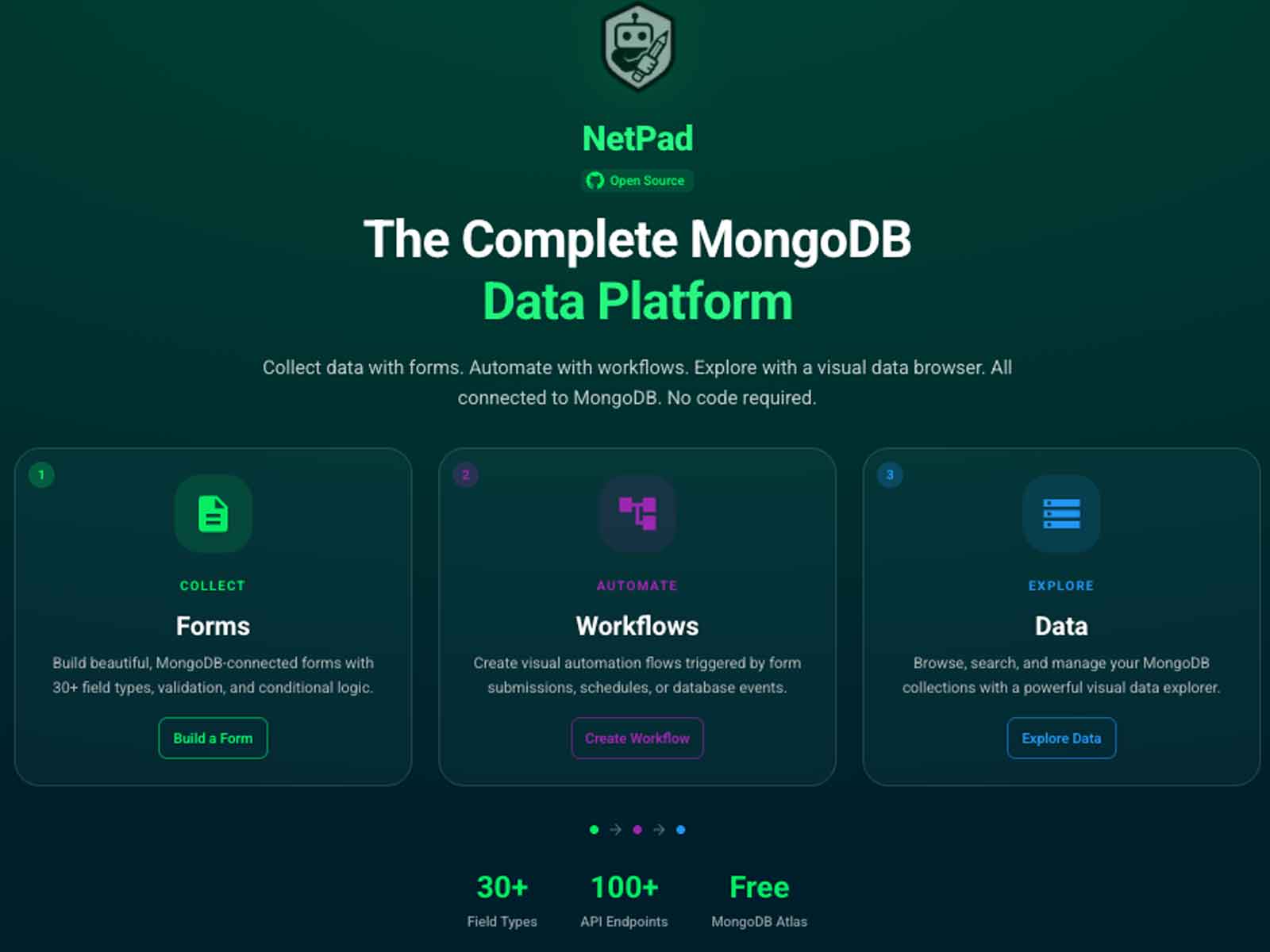
What is NetPad?
NetPad empowers you to build complete, production-ready applications in minutes, not weeks. Think of NetPad as a platform for creating Applications—complete solutions that solve business problems by combining forms, workflows, and data management into cohesive experiences.
Whether you need a customer feedback portal, an IT helpdesk system, an employee onboarding application, or a data collection platform, NetPad lets you build the entire application without backend development.
Applications-First Approach
In NetPad, Applications are first-class entities that organize everything you build:
- Forms: Data collection interfaces (traditional, search, or conversational)
- Workflows: Automation that processes data and integrates with external systems
- Connections: Links between forms and workflows that create end-to-end processes
- Releases: Versioned snapshots of your complete application
Applications provide organization, versioning, sharing, and access control. You can publish applications to the marketplace, export them as packages, and manage them as complete solutions rather than individual components.
Core Value Propositions
Zero to Production in Minutes
- Build complete applications by combining forms, workflows, and connections
- Start from templates: 25+ form templates and 5+ workflow templates
- Import from marketplace: Discover and install pre-built applications
- No backend development required
Your Data, Your Control
- Connect to any MongoDB instance (Atlas, self-hosted, or cloud)
- Automatic M0 cluster provisioning for new users
- Export data anytime (JSON, CSV)
- Full data ownership and portability
Enterprise-Ready Security
- Field-level encryption with MongoDB Queryable Encryption
- Secure connection vault with encrypted credentials
- Role-based access control at application level
- Bot protection with Turnstile CAPTCHA
- Audit logging and compliance features
AI-Powered Productivity
- Conversational Forms: AI-powered natural language data collection
- Knowledge-Guided AI: RAG-powered forms that answer questions using your documents
- 12+ AI Agents: Form generation, optimization, compliance, translation, and insights
- Template Admin System: Full template management for conversational experiences
- Auto-suggestions: Real-time field suggestions and validation rules
Four Core Capabilities
NetPad applications are built using four powerful capabilities:
1. Forms
Create beautiful, functional data collection interfaces with our visual form builder. Support for 30+ field types, conditional logic, validation rules, and seamless MongoDB integration. Includes:
- Data Entry Forms: Traditional CRUD forms for collecting new data
- Search Forms: Query and filter existing data with smart operators
- Conversational Forms: AI-powered natural language data collection
- Multi-Page Wizards: Step-by-step forms with progress tracking
2. Workflows
Automate processes with our visual workflow editor. Build complex automation workflows using drag-and-drop nodes, triggers, and integrations. Connect forms to workflows to create complete application flows.
3. Data Management
Browse and manage MongoDB collections visually. Import, export, search, and edit your data with an intuitive interface. Secure connection vault with encrypted credentials. Build search interfaces and data exploration tools.
4. AI & Conversational Experiences
Transform data collection with AI-powered conversational forms and intelligent automation. Natural language data collection, knowledge-guided RAG capabilities, 12+ AI agents for optimization and insights, and template management system.
Building Applications
Application Structure
A typical NetPad application includes:
Application: Customer Portal
├── Forms
│   ├── Contact Form (data entry)
│   ├── Support Ticket Form (conversational)
│   └── Customer Search (search form)
├── Workflows
│   ├── Email Notification Workflow
│   └── Ticket Routing Workflow
└── Connections
    ├── Contact Form → Email Notification
    └── Support Ticket → Ticket Routing
Application Lifecycle
- Create Application: Start with a new application or template
- Add Forms: Build data collection interfaces
- Add Workflows: Automate processes and integrations
- Connect Components: Link forms to workflows
- Create Release: Version your application with semantic versioning
- Publish: Share to marketplace or export as package
Quick Start
Ready to get started? Check out our Quick Start Guide to create your first application in minutes.
You can:
- Start from a template: Browse 25+ form templates and application templates
- Import from marketplace: Install pre-built applications
- Build from scratch: Create custom applications with forms and workflows
Getting Help
NetPad includes a comprehensive, context-aware help system accessible from anywhere:
- Press
Cmd + /(Mac) orCtrl + /(Windows/Linux) to open help search - The help system automatically shows topics relevant to your current page
- Browse 100+ help topics covering all platform features
- Look for
?icons near complex features for context-sensitive help
See In-App Help for more details on using the help system.
Choose Your Deployment
NetPad supports three deployment modes:
- Cloud (netpad.io) - Fully managed SaaS, zero infrastructure to manage
- Self-Hosted - Run on your infrastructure with full data control
- Standalone - Export apps to run completely independently
See Deployment Modes to choose the right option for your needs.
Next Steps
- Installation Guide - Set up NetPad
- Configuration - Configure your environment
- Deployment Modes - Choose your deployment option
- Applications Guide - Learn about building applications
- Form Builder Guide - Learn about forms
- Workflow Guide - Learn about workflows
- Marketplace - Discover and share applications
- In-App Help - Using the help system