Forms Overview
Forms are the core of NetPad. They allow you to collect data from users and store it directly in MongoDB collections. With NetPad's visual form builder, you can create sophisticated data entry forms without writing any code. NetPad supports traditional forms and AI-powered conversational forms.
Form Types
NetPad supports multiple form types:
| Type | Description | Use Case |
|---|---|---|
| Data Entry | Standard CRUD forms | Registration, surveys, data input |
| Search | Query/filter existing data | Data lookup, search interfaces |
| Both | Switchable mode | Flexible data management |
| Conversational | AI-powered dialogue | Support tickets, feedback, intake |
What Can Forms Do?
- Collect Data: Gather information from users through intuitive forms or natural language conversation
- Validate Input: Ensure data quality with built-in validation rules
- Conditional Logic: Show or hide fields based on user responses
- Connect to MongoDB: Automatically sync submissions to your database
- Trigger Workflows: Start automated processes when forms are submitted
- Form Reactions: Real-time field updates triggered by user interactions with workflow-powered logic
- Analytics: Track submissions, completion rates, and field-level insights
- AI-Powered: Use conversational forms for natural language data collection
Form Modes
Forms can operate in different modes depending on the form type:
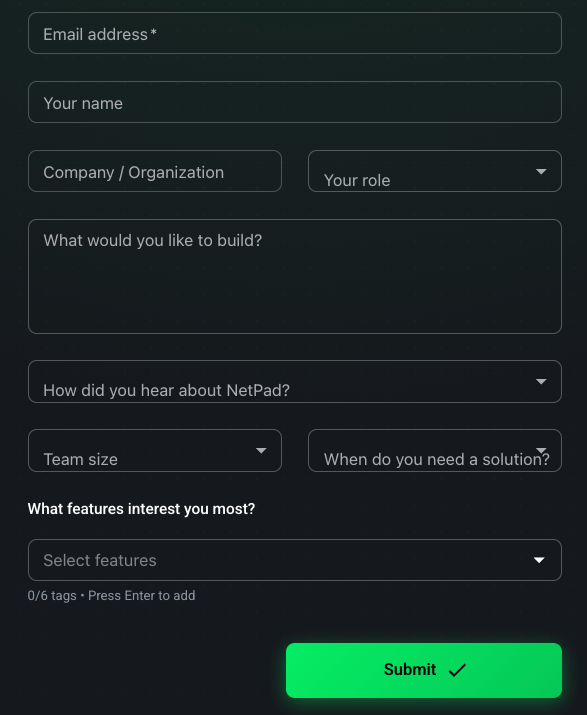
Data Entry Forms
- Create Mode: Create new documents
- Edit Mode: Update existing documents
- View Mode: Read-only display
- Clone Mode: Duplicate existing documents
- Search Mode: Query and filter existing data
Conversational Forms
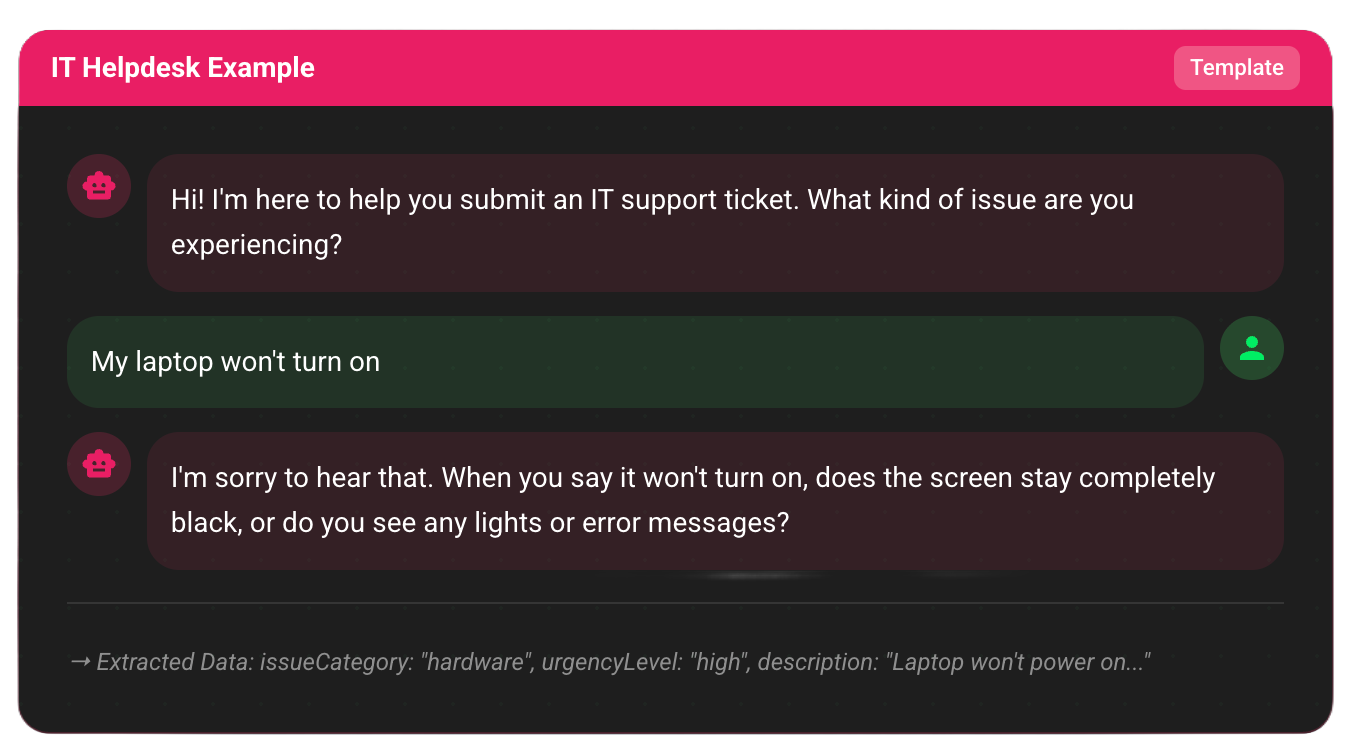
- Conversation Mode: Natural language dialogue
- Extraction Mode: Automatic structured data extraction
- Review Mode: Review extracted data before submission
Form Lifecycle
1. Draft Mode
When you first create a form, it's in draft mode. Draft forms are:
- Not accessible publicly
- Only visible to you and your team
- Safe to edit and experiment with
2. Published Mode
When you're ready, publish your form to make it live:
- Get a shareable URL
- Form becomes accessible to users
- Submissions start being collected
- Can still be edited (changes are versioned)
3. Versioning
All form changes are tracked:
- View version history
- Revert to previous versions
- Compare versions side-by-side
Key Features
Visual Form Builder
- Drag-and-Drop Interface: Build forms visually
- Real-time Preview: See your form as users will see it
- Multi-page Forms: Organize large forms into steps
- Keyboard Shortcuts: Power user productivity features
30+ Field Types
From simple text inputs to complex nested objects, NetPad supports:
- Text fields (single-line, multi-line)
- Numbers (integer, decimal, currency, percentage)
- Dates and times
- Choice fields (radio, dropdown, checkboxes, rating, NPS, matrix)
- File uploads
- Digital signatures
- Lookup fields (reference other collections)
- Computed fields (formula-based calculations)
- Nested objects and arrays
Template Gallery
Start quickly with pre-built form templates:
- 25+ Form Templates - Professional templates for common use cases
- 11 Workflow Templates - Pre-built automation patterns
- 10 Categories - Business, Events, Feedback, Support, E-commerce, Healthcare, Finance, Education, Real Estate, Search Forms
- Search Form Templates - Customer Search, Order Search, Support Ticket Search
- Preview Before Use - See template details and fields before applying
- Fully Customizable - Templates are starting points you can modify
- Best Practices - Templates demonstrate industry standards
See the Template Gallery Guide for details.
Search Forms
Search forms allow querying and filtering existing data:
- Multiple Operators - Equals, contains, between, in, regex, and more
- Smart Dropdowns - Auto-populate from distinct database values
- Result Display - Table, cards, or list layouts
- Pagination - Navigate large result sets
- Result Actions - View, edit, delete, export
Schema Import
Import existing MongoDB collection schemas to auto-generate forms:
- Connect to your MongoDB instance
- Select a collection
- NetPad analyzes the schema
- Form fields are created automatically
Conditional Logic
Show or hide fields based on user input:
- "If field X equals Y, show field Z"
- Multiple conditions with AND/OR logic
- Nested conditional rules
Validation Rules
Ensure data quality:
- Required fields
- Min/max length
- Pattern matching (regex)
- Custom validation expressions
- Field-level error messages
Access Control
Control who can submit your forms:
- Public: Anyone with the URL
- Authenticated: Must sign in first
- Restricted: Domain or user whitelist
Bot Protection
Integrate Cloudflare Turnstile CAPTCHA to prevent spam submissions.
Webhooks
Send form data to external services when forms are submitted.
Form Theming & Branding
Customize the look and feel of your forms:
- Header Styles - Color, gradient, or image with overlay
- Color Schemes - Primary, secondary, error, success colors
- Preset Themes - Professional, Creative, Minimal, Bold, Nature, Tech
- Custom CSS - Full styling control for advanced users
- Dark Mode - Built-in dark mode support
- Logo & Branding - Company logo, favicon, custom fonts
- Custom redirect URLs after submission
- URL pre-fill (auto-populate from query parameters)
- Embeddable forms (iframe or JavaScript)
Multi-Page Forms
Organize complex forms into steps:
- Step-Based Progression - Guide users through sections
- Progress Styles - Dots, numbers, progress bar, or tabs
- Page-Level Validation - Validate each page before proceeding
- Navigation Controls - Back, next, and jump to page
- Completion Tracking - Track progress through the form
Form Reactions
Real-time field updates triggered by user interactions:
- Field Event Triggers - Respond to blur, change, focus events
- Workflow Integration - Execute workflows when fields change
- Auto-fill Fields - Update multiple fields from workflow results
- API Lookups - Fetch external data and populate form fields
- AI Processing - Classify or extract data and update fields
See the Form Reactions Guide for details.
Getting Started
- Template Gallery - Start with pre-built templates (recommended)
- Building Forms - Learn how to build forms from scratch
- Field Types - Explore all available fields
- Validation - Set up validation rules
- Conditional Logic - Add dynamic behavior
- Form Reactions - Real-time field updates via workflows
- Publishing - Make your form live
- Analytics - Track form performance
Use Cases
- Contact Forms: Collect customer inquiries
- Surveys: Gather feedback and opinions
- Registrations: Event sign-ups, user registration
- Applications: Job applications, grant applications
- Orders: Product orders, service requests
- Data Entry: Internal data collection forms
- Feedback: Customer satisfaction surveys
Next Steps
Ready to build your first form? Start with the Building Forms Guide.