AI & Conversational Experiences
NetPad transforms data collection with AI-powered conversational forms and intelligent automation. Replace traditional form fields with natural language dialogue that guides users through data collection, asks clarifying questions, and extracts structured data automatically.
What Are Conversational Forms?
Conversational Forms replace traditional form fields with natural language dialogue. Instead of filling out a static form, users chat with an AI agent that:
- Guides them through data collection
- Asks clarifying questions based on responses
- Extracts structured data automatically
- Adapts questioning based on user responses
- Tracks topic coverage intelligently
- Provides confidence scoring per field
Key Features
Natural Language Interaction
Users interact with forms through conversation, making data collection more intuitive and engaging. The AI understands context and can handle:
- Follow-up questions
- Clarifications
- Contextual responses
- Multi-turn conversations
Intelligent Topic Coverage
The AI tracks which topics have been covered and which still need information:
- Required topics are prioritized
- Important topics are emphasized
- Optional topics are covered when relevant
- Depth of questioning is configurable
Automatic Data Extraction
Structured data is automatically extracted from conversations:
- Field values are identified and validated
- Confidence scores are assigned per field
- Missing required fields trigger follow-up questions
- Full conversation transcripts are stored
Adaptive Questioning
The AI adapts its questions based on user responses:
- Asks clarifying questions when needed
- Skips irrelevant questions
- Adjusts tone and style
- Handles edge cases gracefully
Configurable AI Personas
Customize the AI's personality and behavior:
- Professional: Formal, business-appropriate tone
- Friendly: Warm, approachable communication
- Casual: Relaxed, conversational style
- Empathetic: Supportive, understanding tone
Example Flow
Here's an example of a conversational form for IT Helpdesk:
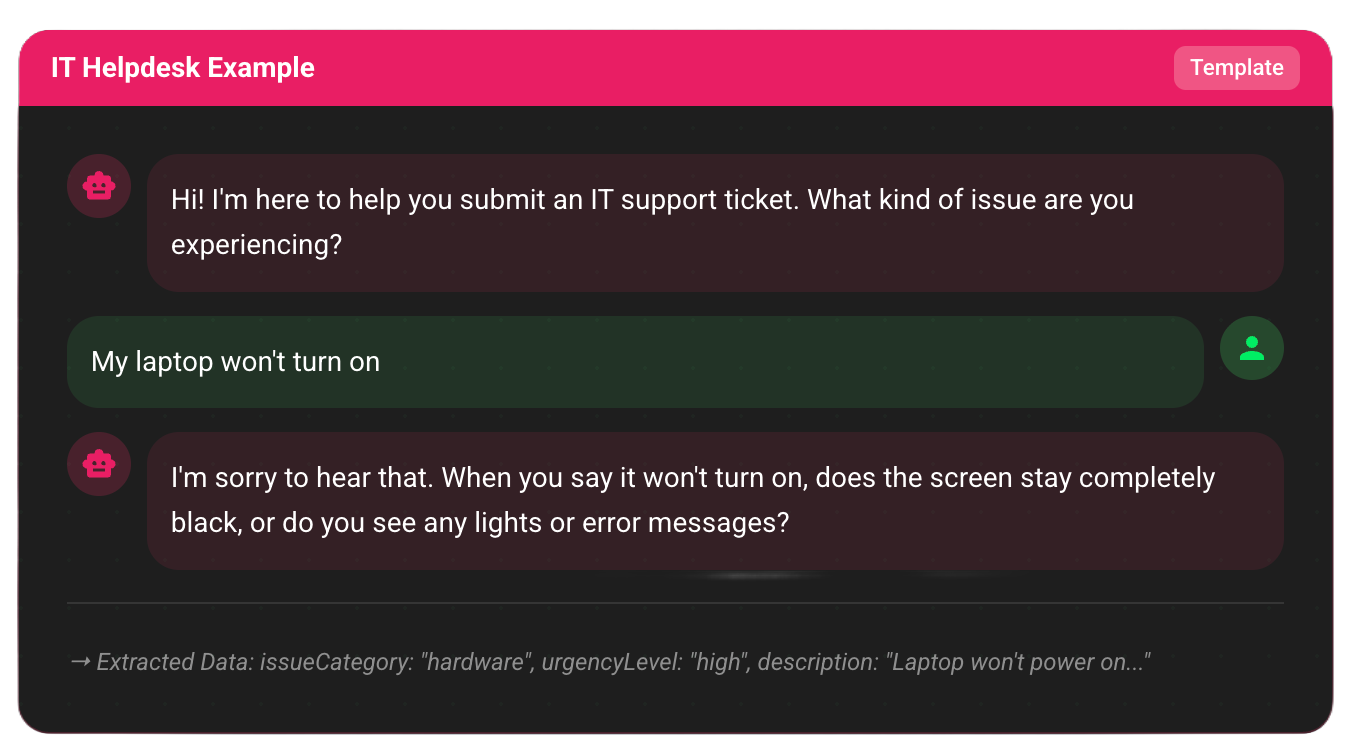
The AI collects information through natural dialogue and extracts structured data in real-time:
AI: Hi! I'm here to help you submit an IT support ticket.
    What kind of issue are you experiencing?

User: My laptop won't turn on

AI: I'm sorry to hear that. When you say it won't turn on,
    does the screen stay completely black, or do you see any
    lights or error messages?

User: Completely black, no lights at all

AI: That sounds like a hardware issue. How urgent is this?
    Are you able to work from another device?

User: Very urgent, I have a deadline today. I can use my phone
      but it's not ideal.

AI: I understand the urgency. Let me get a few more details.
    What's your employee ID or email address?

User: john.doe@company.com

AI: Perfect. And what's the make and model of your laptop?

[...conversation continues until all required data collected...]

→ Extracted Data:
  {
    "issueCategory": "hardware",
    "urgencyLevel": "high",
    "description": "Laptop won't power on, no lights...",
    "userEmail": "john.doe@company.com",
    "deviceInfo": "...",
    "confidence": 0.92
  }
Use Cases
IT Helpdesk
Create support tickets through natural conversation. The AI asks about:
- Issue type and category
- Urgency level
- Device information
- Error messages
- Impact on work
Customer Feedback
Collect feedback through engaging dialogue:
- Satisfaction levels
- Specific pain points
- Feature requests
- Improvement suggestions
- Follow-up preferences
Patient Intake
Healthcare intake forms become conversational:
- Medical history
- Current symptoms
- Medication information
- Insurance details
- Appointment preferences
General Intake
Flexible intake for various needs:
- Event registration
- Application processes
- Survey collection
- Information gathering
Template System
NetPad includes built-in templates for common use cases:
| Template | Category | Use Case |
|---|---|---|
| IT Helpdesk | Support | Technical support ticket creation |
| Customer Feedback | Feedback | Satisfaction and feedback collection |
| Patient Intake | Intake | Healthcare patient information |
| General Intake | Intake | Flexible intake for various needs |
You can:
- Use built-in templates as-is
- Clone and customize templates
- Create custom templates from scratch
See Template Management for details.
Knowledge-Guided Conversational Forms (RAG)
Enhance conversational forms with document-grounded AI using RAG (Retrieval-Augmented Generation):
- Document Upload: Attach PDF, DOCX, or TXT documents
- Semantic Search: Vector search across document content
- Source Citations: Traceable references in AI responses
- Context-Aware Answers: AI uses document content to answer questions
- Schema-Aware: All suggestions respect form validation rules
See Knowledge-Guided Conversational Forms (RAG) for complete details.
AI Agents
NetPad includes 15+ AI agents to help with various tasks:
Form Building Agents
- Form Generator: Create forms from natural language descriptions
- Field Type Detection: Auto-detect field types from data
- Conditional Logic Generator: Auto-generate show/hide rules
- Validation Pattern Generator: Generate regex patterns
Form Enhancement Agents
- Inline Suggestions: Real-time field suggestions while building
- Formula Assistant: Help build computed field formulas
- Form Optimization: Analyze and improve forms
Data Processing Agents
- Response Processing: Process and transform responses
- Response Insights: Analyze submission patterns
- Auto-Translation: Translate forms to other languages
Compliance & Quality Agents
- Compliance Audit: Check for regulatory compliance
- Workflow Generator: Generate workflows from description
See AI Agents for complete details.
Getting Started
- Create a Conversational Form - Build your first conversational form
- Knowledge-Guided Forms (RAG) - Add document-grounded AI
- Template Management - Use and customize templates
- AI Agents - Explore available AI agents
- Configuration - Configure AI behavior and limits
Next Steps
Ready to create your first conversational form? Start with the Conversational Forms Guide.